


myPrivia
4.01.66K Reviews
App Specs
- Version
- 2.44.0
- Updated On
- License
- Free
- Downloads
- 100,000+
- Developer
- Privia Health LLC
- Categories
- Medical
- Platform
- Android
Screenshots
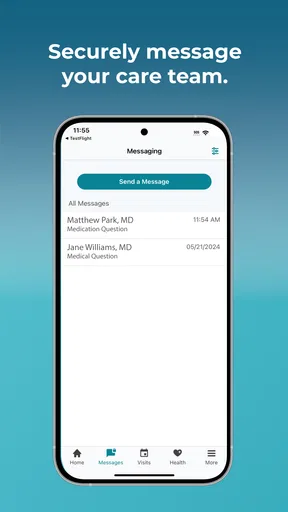
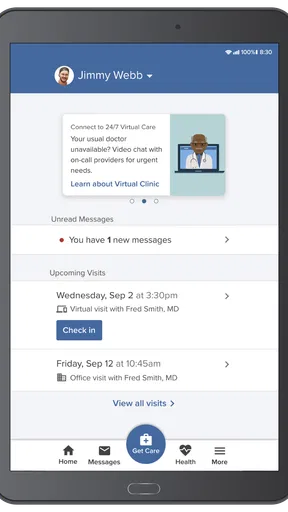
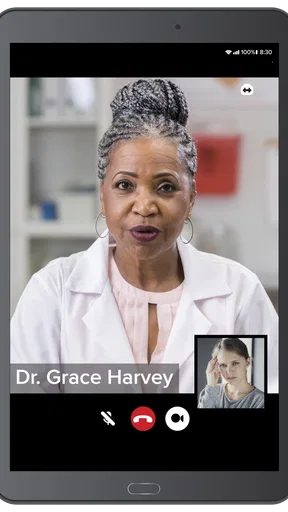
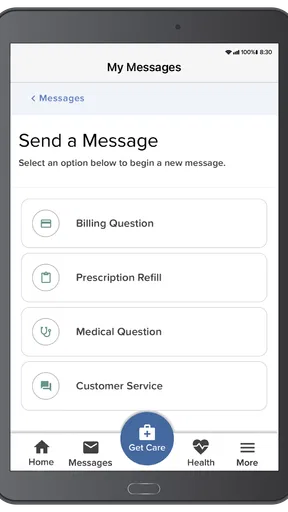
 Analysis by AppCompare
I judge a healthcare app less by how many buttons it offers than by whether it makes ordinary tasks easier without pretending to replace a clinician. myPrivia is a medical app from Privia Health LLC, and its focus is practical: bringing parts of a patient’s care into one mobile place. I’d consider it most useful for someone who already receives care through the Privia network and wants a more organized way to handle appointments and keep track of health information.
A useful routine starts with the next appointment
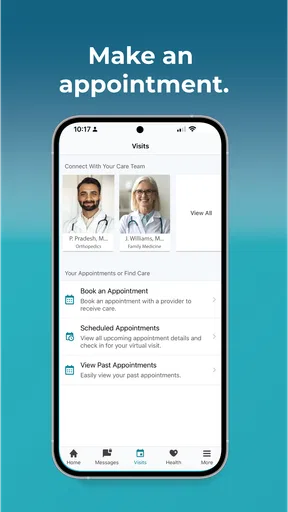
My suggested starting point is simple: open the app when you have a care task to handle, rather than trying to explore every section at once. Appointment scheduling is the clearest everyday use. If you need a follow-up, being able to look for an available time in the app can be more convenient than calling during office hours. You still need to choose a slot that works for you and keep the appointment details somewhere you will notice them.
A realistic example is getting home after a visit and realizing you need another appointment. Instead of leaving the task on a paper reminder, you can check scheduling in myPrivia while the plan is fresh. Later, the records area can help you revisit visit summaries or test results. That small sequence—book, attend, then review—makes the app more useful than opening it only when something urgent comes up.
Records are most helpful when you know what you need
Having access to health records on a phone can save time when a provider asks about a past visit, medication, or result. I would use the records section as a reference, not as a substitute for a conversation about what a result means. If you are preparing for an appointment, checking the relevant visit summary beforehand can help you arrive with a clearer question instead of trying to remember details on the spot.
There is also a practical trade-off: a mobile record is convenient, but it only helps if you can find the item you need and understand its context. I recommend reviewing information when you have a moment to focus, rather than scanning a result in a hurry between errands. For care involving several providers, keep in mind that an app associated with one health network is not automatically a complete record of every service you have received elsewhere.
Virtual care has a narrower sweet spot
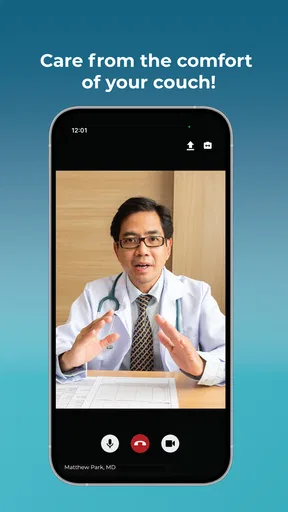
The virtual-visit option is appealing when a remote conversation is appropriate, especially for a quick check-in or follow-up that does not require an in-person examination. It can spare you a trip and make it easier to speak with your provider from home. I would still treat it as one way to access care, not the right format for every concern. If you think you need a physical assessment or have an urgent problem, use the care route your clinician recommends rather than assuming a video visit is enough.
Before a remote appointment, it is sensible to choose a quiet place, have your questions ready, and keep any relevant details nearby. Those habits do not depend on special app tools; they simply make the conversation more productive. If a virtual visit is not offered for the issue you have, or the available timing does not work, contacting the practice through its usual channels may be the better next step.
Worth Reading Before You Choose

EA SPORTS FC Mobile 26 Is a Bigger Football Game, but It Takes Time

Flipboard Shows What News Apps Must Do Beyond the Feed

Switching to Android Auto Means Rethinking Your Driving Routine

Google Calendar Makes a Crowded Week Easier to Manage

Ludo King Makes the Most of the Minutes Between Plans

Baby Panda World Brings Quick Play to Modern Phones, but Its Game Library Feels Busy
Reminders work best as a backup, not a plan
Personalized reminders can help keep an appointment or medication routine from slipping your mind. I see them as a useful nudge, especially during a busy week, but not as a replacement for the routine you rely on to take medicines safely. If you use reminders, check that they match the schedule you have been given and make sure the notification settings on your phone allow you to see them.
A low-effort habit is to review upcoming care tasks at a regular moment, such as when planning the week. That gives reminders context: you can spot a conflict early and decide what to do, instead of reacting to an alert at the last minute. For medication questions or changes, the app should not take the place of instructions from your healthcare professional.
Main Features of myPrivia
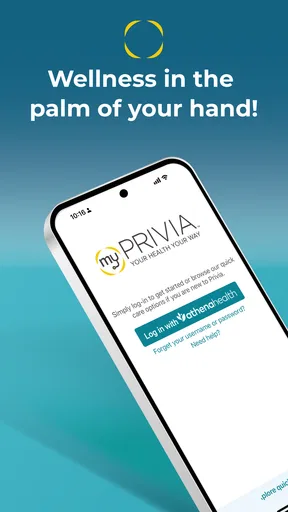
First things first, myPrivia is all about convenience. It brings a host of features right to your fingertips, making health management a breeze. The app allows you to schedule appointments, view your health records, and even consult with your doctor through virtual visits. Here’s a closer look at some of these features:
Easy Appointment Scheduling
Gone are the days of waiting on hold to book a doctor’s appointment. With myPrivia, you can easily schedule your appointments directly through the app. It shows available times, and you can choose what works best for you without the hassle of phone calls.
Access to Health Records
One of the standout features is having your medical records in the palm of your hand. You can view your test results, medications, and even past visit summaries. This is super handy when you need to review your health history or share information with other healthcare providers.
Virtual Visits
In today’s digital age, virtual visits have become a necessity. myPrivia offers a seamless virtual visit feature that allows you to consult with your healthcare provider without leaving your home. It’s perfect for those quick check-ins or follow-up consultations.
Health Reminders
The app also includes personalized health reminders. Whether it’s reminding you to take your medication or alerting you about upcoming appointments, these reminders help ensure you’re always on top of your health game.
The Overall User Experience
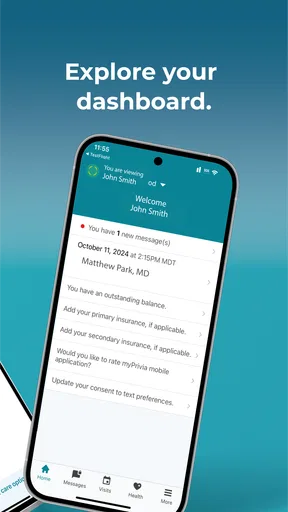
Now, let’s talk about user experience. The app’s interface is clean and user-friendly. It’s designed for all tech skill levels, so whether you’re a tech newbie or a smartphone wizard, you’ll find it easy to navigate. The intuitive layout means you can find what you need without any fuss.
Settings worth checking before relying on it
I would take a few minutes after getting started to check the phone’s notification settings and make sure app alerts are allowed if you want reminders to reach you. A reminder that stays silent is easy to miss, while too many alerts can become background noise. The right balance is personal: keep the notices that help with appointments or routines, and avoid treating every notification as something that needs immediate action.
It is also worth making a habit of confirming appointment details after scheduling, rather than relying on memory. If your calendar is where you normally organize your week, add the appointment there too. That is not a special integration claim; it is a simple way to pair the healthcare app with a tool you already use. For an important visit, keeping the time and any preparation instructions visible in one familiar place reduces the chance of overlooking them.
Small habits make repeat use quicker
Experienced users can make the app feel less like another task by tying it to routines they already have. After a visit, take a moment to review the summary while the discussion is still fresh. Before a follow-up, look over the relevant record and write down questions in a notes app or on paper. When a reminder appears, decide whether it calls for action now or simply helps you plan ahead.
This approach is more reliable than expecting the app to manage every part of your healthcare automatically. Use it for the tasks it brings together—appointments, records, virtual visits, and reminders—then keep other personal organization in the calendar or note-taking system you trust. That division of labor is especially helpful if you coordinate care across multiple providers.
Where it fits among other healthcare options
Compared with calling a practice for every scheduling question, an app can be a more convenient first stop when you want to check appointment availability or review information on your own time. Compared with a general health tracker, myPrivia is more centered on interacting with care and accessing patient records than on making a fitness dashboard the main event. Those are different jobs, so I would not choose one expecting it to replace the other.
The main question is whether your care is connected to the service the app supports. If it is, the combination of scheduling, records, reminders, and virtual visits can bring several common tasks closer together. If your providers are outside that network, or you mainly want a broad tool for tracking exercise and wellness data, a different app or the providers’ own patient services may fit better. The best choice depends on the care relationship you need to manage, not simply the number of features on a screen.
Customer Support
Customer support is a key aspect of any app experience, and myPrivia doesn’t disappoint. If you run into any issues or have questions, their support team is just a tap away. The in-app support feature ensures you get help when you need it, which is a big plus in my book.
For a practical approach, I would use support for trouble navigating the app or resolving an access problem, and contact the healthcare practice for questions about care, appointments, or medical advice. Keeping those two kinds of questions separate can save time: technical help belongs with app support, while decisions about your health belong with a qualified professional.
Security and Privacy
Security is crucial when it comes to health apps, and myPrivia takes this seriously. The app employs robust security measures to protect your personal and health information. Knowing that your data is safe and secure gives you peace of mind, which is invaluable.
Even with a health app, I recommend the ordinary precautions I use for any account that contains sensitive information: protect access to your phone, avoid sharing sign-in details, and be mindful when viewing records around other people. Those habits complement the app’s stated focus on security and help keep health information private in everyday settings.
Integration with Wearables
For those of us who love our gadgets, you’ll be happy to know that myPrivia integrates with various health wearables. This means you can sync your fitness data with the app, providing a comprehensive view of your health metrics all in one place.
I would treat wearable information as useful context rather than a diagnosis. A device can help you notice patterns, but it does not replace a clinician’s interpretation or the medical record. If wearable data matters to a conversation with your provider, bring up the specific pattern or question you noticed instead of assuming that a synced metric tells the whole story.
Who is likely to get the most from it?
This is a sensible option for someone who receives care through Privia and wants a phone-based way to handle routine tasks between visits. It may be particularly helpful if you often need to check a previous visit, arrange follow-up care, or prefer a virtual conversation when that is suitable. The app is free, rated for Everyone, and its current version is 2.43.1; it has an average rating of 4.1 from around 3.5 thousand ratings, with over 100 thousand installs. Those figures suggest an established audience, but they cannot tell you whether it will match your particular practice or care needs.
I would be less likely to recommend it as a primary health organizer to someone whose clinicians do not use Privia, or to anyone expecting a single app to gather every record from every provider automatically. It is also not a replacement for urgent care, emergency help, or direct clinical advice. Knowing that boundary makes the app easier to use well: it can support the relationship with your healthcare team, but it cannot make care decisions for you.
A measured verdict for everyday care
Privia Health LLC released the app on April 10, 2018, and the experience is aimed at making routine patient tasks more accessible on a phone. For me, its value is less about having a “mini assistant” and more about having a practical place to begin when I need to schedule, review a record, or prepare for a follow-up. It is free to use, which makes trying it less of a commitment, though usefulness still depends on whether it fits your care setup.
My advice is to start with one repeatable task, such as checking an upcoming appointment or reviewing a visit summary, and build from there. Keep notifications purposeful, use records to prepare better questions, and choose virtual care only when it suits the concern. With those expectations, myPrivia can be a helpful companion for people connected to its care network. If you want a universal medical record or a full fitness-tracking hub, I would look elsewhere; if your goal is to stay closer to day-to-day care, it is worth considering.
Pros
- User-friendly interface enhances navigation.
- Seamless integration with health records.
- Easy appointment scheduling feature.
- Efficient virtual visit options available.
- Customizable notifications for reminders.
Cons
- Limited offline functionality.
- Occasional app crash issues reported.
- Restricted to specific healthcare providers.
- Some features require premium access.
- Notifications can be overly frequent.
FAQs for myPrivia
What is myPrivia and how does it work?
myPrivia is a comprehensive healthcare app designed to connect patients with their healthcare providers. It allows users to schedule appointments, access telehealth services, manage prescriptions, and view medical records. The app integrates seamlessly with your healthcare provider’s system, offering a streamlined experience to manage your health needs efficiently.
Is myPrivia available for both Android and iOS devices?
Yes, myPrivia is available for download on both Android and iOS devices. You can find the app on the Google Play Store for Android users and the Apple App Store for iOS users. It ensures that users across different platforms can access healthcare services conveniently.
How secure is my personal health information on myPrivia?
myPrivia prioritizes the security of your personal health information by implementing advanced encryption and security protocols. The app complies with HIPAA regulations, ensuring that your data is protected and confidential, only accessible to you and your healthcare provider.
Can I schedule appointments directly through the myPrivia app?
Yes, myPrivia allows you to schedule, reschedule, and cancel appointments directly through the app. You can choose a convenient time slot based on your healthcare provider’s availability, making it easier to manage your healthcare needs without the hassle of phone calls.
Does myPrivia offer telehealth services?
myPrivia provides telehealth services that enable you to have virtual consultations with your healthcare provider. This feature is especially beneficial for non-emergency consultations, allowing you to receive medical advice from the comfort of your home, saving time and travel.


